Le migliori alternative a Loops
Loops è perfetto per startup che vogliono email di prodotto focalizzate senza una grande suite. Le alternative hanno senso quando servono più profondità eventi (Customer.io), contesto SaaS strutturato (Userlist) o ampiezza marketing (Brevo, ActiveCampaign, HubSpot).
La risposta breve: per più potenza eventi vai su Customer.io; per contesto SaaS semplice su Userlist; per marketing + transazionale uniti su Brevo.
Sintesi
Più eventi → Customer.io. 100 $/mese con team dati. Contesto SaaS → Userlist. Utenti e account al centro. Marketing + transazionale → Brevo. 9 $/mese tutto unito. Vendite → ActiveCampaign. Scoring e pipeline.
Confronto rapido
| Alternativa | Ideale per | Prezzo | Compromesso principale |
|---|---|---|---|
| Customer.io | Programmi lifecycle guidati dagli eventi | 100 $/mese | Serve team dati |
| Userlist | Contesto prodotto SaaS | Piani a contatti | Ecosistema stretto |
| Encharge | Automazioni visuali growth | Piani a contatti | Da validare a scala |
| Brevo | Marketing + transazionale | 9 $/mese | Meno profondità prodotto |
| ActiveCampaign | Regole dettagliate SMB | 15 $/mese | Più amministrazione |
Customer.io: quando Loops sta stretto
Il passo più forte quando servono modello eventi profondo, ramificazioni e casi multi-prodotto: onboarding, attivazione ed espansione che si diramano su ciò che l'utente fa davvero.
Il compromesso è peso operativo: dizionario eventi, regole di identità, soppressioni e proprietà delle campagne vanno definiti, o la flessibilità diventa una versione meno manutenibile dello stesso workflow.
Quando conviene restare su Loops
Se oggi mandi un benvenuto, qualche email di attivazione e gli annunci di prodotto, e nessuno ha mai sentito la mancanza di una funzione, il cambio non risolve un problema ma ne crea uno. Il costo di migrare è fatto di ore di ricostruzione e di rischio di errori nei primi invii.
Cambia quando puoi indicare l'ostacolo preciso: un segmento che non riesci a costruire, un evento che non entra, un report che ti serve per decidere. Se l'ostacolo è uno solo, controlla prima se la piattaforma di arrivo lo risolve davvero con una prova sui tuoi dati.
Userlist ed Encharge: restare nel SaaS
Userlist per team che vogliono utenti, account e comportamento al centro senza suite generale. Encharge per chi ragiona per flussi visuali e vuole automazioni comportamentali senza una customer-data platform.
In entrambi i casi mappa trigger e destinazioni reali, poi testa ritardi, re-entry, cancellazioni e sync contatti prima di considerare equivalente un workflow visivamente simile.
Brevo e MailerLite: scendere di complessità
Quando il requisito reale è newsletter, sequenza di benvenuto e qualche ramo comportamentale: setup veloce e costi minimi. Non sostituiscono la telemetria prodotto profonda — tieni i messaggi triggerati dal prodotto in un sistema separato se sono requisito core.
Scelta giusta se il collo di bottiglia è il team, non i dati.
Quando lasciare Loops?
Quando servono stati account, storia eventi profonda, billing nativo o reportistica che Loops non copre. Finché onboarding e annunci bastano, restare è la scelta economica giusta.
Userlist o Customer.io dopo Loops?
Userlist se il centro sono utenti e account di un SaaS con struttura semplice. Customer.io se il core sono decine di eventi di prodotto e hai un team che li cura (da 100 $/mese).
Quanto costa migrare?
Settimane per Userlist (stesso vocabolario SaaS), mesi per Customer.io (tassonomia eventi da costruire). Documenta eventi e soppressioni prima in entrambi i casi.
Verdetto
Sali a Customer.io per eventi, resta SaaS-leggero con Userlist, scegli Brevo per unire marketing e transazionale. Confronta storia eventi, ramificazioni e stati account prima di decidere. Vedi anche Loops vs Resend, la classifica completa e le altre alternative.
Come leggere il listino se lasci Loops
La pagina prezzi di Loops lega il costo al numero di iscritti, con un piano gratuito che ha un tetto su contatti e invii. Prima di confrontarla con Customer.io o altre piattaforme, chiarisci che cosa ciascuna conta come unità: lo stesso elenco di utenti può costare molto diversamente.
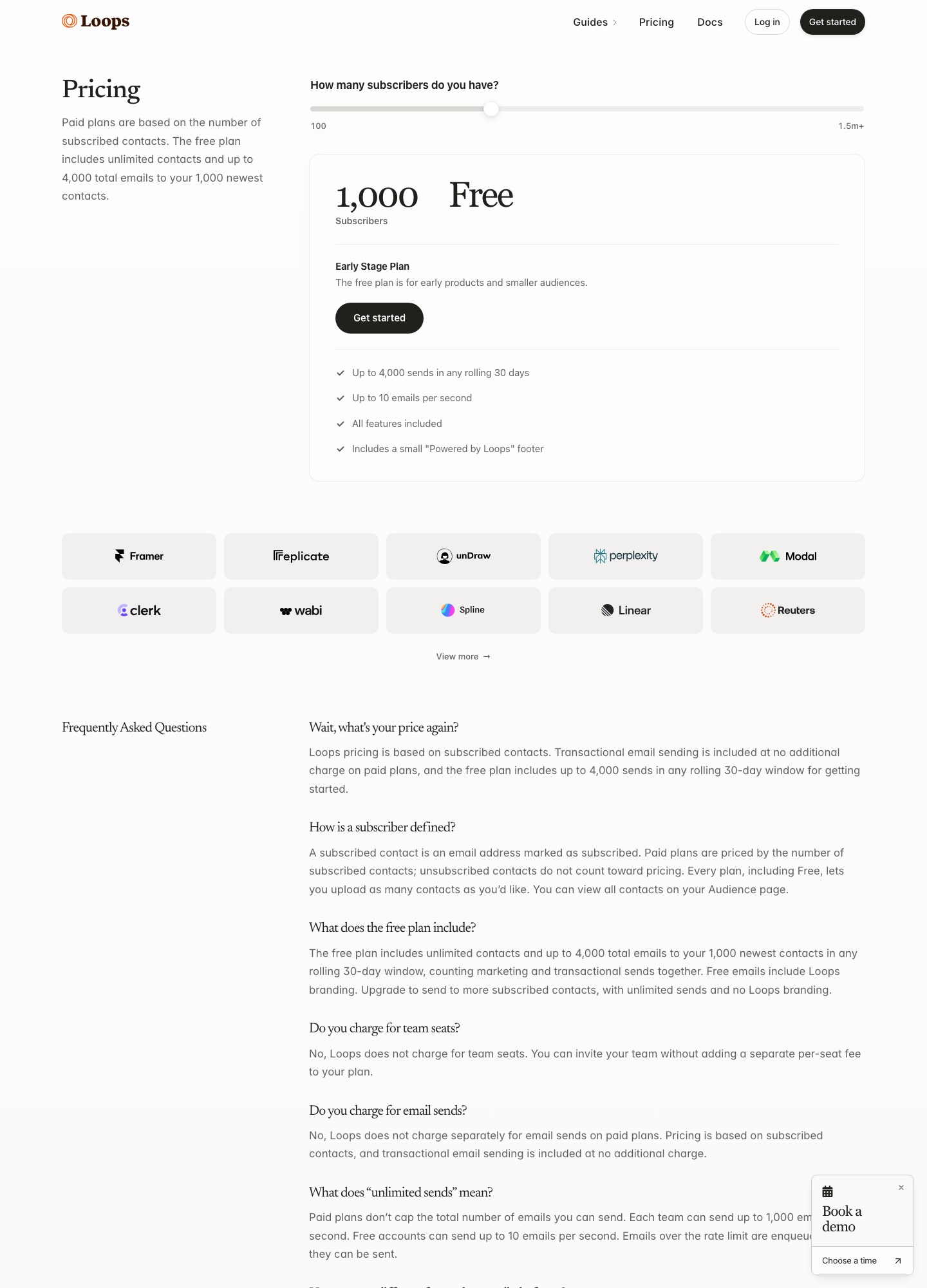
| Voce del listino | Perché conta in un SaaS | Domanda da fare |
|---|---|---|
| Unità di conteggio | Chi si registra e non apre mai più l'app resta un profilo che occupa uno scaglione | «Contate anche gli utenti inattivi e quelli disiscritti dalle email di marketing?» |
| Utenti con sole email di servizio | In un prodotto molti profili esistono solo per ricevere ricevute e avvisi, non newsletter | «Questi profili entrano nel conteggio come i contatti promozionali?» |
| Prova con dati reali | Un flusso di onboarding si valuta con eventi veri, non con contatti di esempio | «Posso inviare gli eventi della mia app durante la prova, senza limiti che la rendano inutile?» |
| Eventi e cronologia | Il valore della piattaforma sta nel ricordare cosa ha fatto l'utente e quando | «C'è un limite agli eventi al mese e per quanto tempo si conserva la storia?» |
| Posti e permessi | Prodotto e marketing devono modificare i flussi senza sovrascriversi | «Gli utenti aggiuntivi si pagano e posso separare i ruoli?» |
Quale alternativa a Loops per quale situazione
| Se il tuo caso è… | Guarda a… | Perché |
|---|---|---|
| Benvenuto, attivazione e annunci lineari, nessun limite sentito | Restare su Loops | Cambiare costa ore di ricostruzione e non risolve un problema che non hai |
| Decine di eventi con proprietà e rami che si diramano | Customer.io | Il modello a eventi è più profondo, ma qualcuno deve curare la tassonomia |
| Clienti che sono aziende con più utenti ciascuna | Userlist | Account e utenti sono il centro del modello, non un'aggiunta |
| Flussi disegnati dal marketing, senza sviluppatori | Encharge | Il canvas visuale riduce la dipendenza dal team tecnico |
| Newsletter e ricevute nello stesso account, budget basso | Brevo | Un unico fornitore per campagne, automazioni e transazionali |
| Un ufficio vendite che deve leggere l'attività di prodotto | ActiveCampaign o HubSpot | Il CRM condivide lo stesso record con chi vende |
Per un punto di vista più ampio sul passaggio vedi anche le alternative a Customer.io, la guida agli strumenti per l'onboarding e quella sugli strumenti transazionali, utile se le ricevute le sposti altrove.
Checklist prima di spegnere Loops
- Contatti e proprietà: esporta tutti i contatti con le proprietà personalizzate, lo stato di iscrizione e le disiscrizioni, e controlla che i nomi dei campi coincidano con quelli letti dai messaggi nella nuova piattaforma.
- Eventi dell'app: elenca gli eventi che il backend invia oggi, con nome e proprietà, e decidi se mantenere gli stessi nomi o rinominarli una volta sola, ora, invece di trascinarti nomi incoerenti.
- Primo flusso da ricostruire: parti dal benvenuto o dall'attivazione, provalo con tre account di prova e spegni la versione vecchia solo dopo aver visto arrivare i messaggi giusti.
- Dominio mittente: configura SPF e DKIM della nuova piattaforma prima del primo invio e fai partire le email dai profili più attivi, non da tutta la base.
- Periodo di sovrapposizione: tieni Loops in sola lettura per un ciclo di fatturazione, così puoi confrontare iscritti, invii e conversioni con quanto registra il nuovo strumento.
Termini da conoscere per il passaggio da Loops
| Termine | Significato operativo |
|---|---|
| Evento | Un'azione dell'utente nell'app, per esempio «progetto creato», inviata alla piattaforma con un nome e alcune proprietà. È ciò che fa partire, avanzare o fermare un flusso. |
| Proprietà del contatto | Un dato salvato sul profilo, come piano, ruolo o data di registrazione. Serve a segmentare e a personalizzare il testo. |
| Email di prodotto e email promozionale | La prima risponde a ciò che l'utente ha fatto nel servizio (invito, ricevuta, reset); la seconda promuove qualcosa. Hanno basi di consenso diverse e conviene tenerle separate fin dall'iscrizione. |
| Contatto attivo | Il profilo che la piattaforma conta ai fini del prezzo. Controlla se includi anche inattivi, disiscritti e utenti che non hanno mai ricevuto un messaggio. |
| Piano a scaglioni | Il canone cambia quando gli iscritti superano una soglia: il numero che decide la spesa è il limite dello scaglione, non il prezzo di partenza. |
Clausole da leggere prima di lasciare Loops
| Clausola | Cosa controllare | Perché |
|---|---|---|
| Conteggio dei profili | Quali contatti entrano nel prezzo e quando escono dal conteggio (inattivi, disiscritti, soppressi) | Un SaaS con molti trial abbandonati rischia di pagare per persone che non leggeranno più nulla. |
| Esportazione di eventi e cronologia | Se oltre ai contatti puoi portare via anche la storia degli eventi e le proprietà | Senza la cronologia ripartirai da zero con segmenti e regole di rientro nei flussi. |
| DPA e sub-responsabili | Accordo di trattamento, elenco dei sub-responsabili, regione dei dati e garanzie per i trasferimenti fuori dall'UE | Allinea l'informativa privacy del prodotto a ogni cambio di fornitore. |
| Limiti di invio degli eventi | Tetti alle richieste API e cosa succede quando un picco li supera | Un rilascio o un'importazione massiva non deve far perdere eventi in silenzio. |
Domande frequenti
Posso usare Loops solo per le email di prodotto e un'altra piattaforma per le newsletter?
Sì, ed è una divisione frequente: gli eventi dell'app restano su Loops e le newsletter o le promozioni passano a uno strumento più adatto ai contenuti, come Brevo o MailerLite. Il rischio sono i consensi disallineati, quindi decidi quale sistema è la fonte per le disiscrizioni e sincronizzale. Se un utente si disiscrive dalle newsletter ma deve ancora ricevere le email di servizio, le due categorie vanno tenute separate fin dall'iscrizione.
Customer.io è troppo per una startup piccola?
Dipende dal team. La pagina prezzi di Customer.io parte da 100 $/mese per Essentials, ma le startup che hanno raccolto meno di 10 milioni di dollari possono accedere a un anno gratuito con lo Startup Program. Il costo più grande resta il lavoro: serve qualcuno che definisca gli eventi, li invii in modo coerente e curi i segmenti, altrimenti si paga una piattaforma potente per usarne un decimo.
Brevo o Resend possono sostituire Loops per le email transazionali?
Sono strumenti diversi. Brevo affianca le email transazionali a campagne e automazioni (Standard da 18 $/mese), mentre Resend è un servizio di invio via API con piano gratuito da 3.000 email al mese e Pro da 20 $/mese per 50.000 email, senza un editor di automazioni. Se ti servono solo ricevute e reset password, Resend basta; se vuoi anche flussi di onboarding gestiti da non sviluppatori, serve una piattaforma più completa.
Cosa devo documentare prima di lasciare Loops?
Gli eventi che inviano i dati (nome, proprietà, frequenza), i gruppi di contatti e le proprietà che i messaggi leggono, l'elenco dei flussi attivi con trigger e attese, e le soppressioni. Aggiungi per ogni flusso il motivo per cui esiste: spesso ne emergono due o tre che nessuno guarda più e che non vale la pena ricostruire. Il documento diventa anche il tuo elenco di verifica per controllare che la nuova piattaforma faccia le stesse cose.
Una startup italiana ha obblighi particolari sull'hosting dei dati?
Non esiste un obbligo generale di ospitare i dati in Italia: il GDPR richiede una base giuridica per ogni trattamento, un accordo con il fornitore e garanzie adeguate se i dati escono dall'Unione europea. Alcune piattaforme permettono di scegliere la regione, per esempio Customer.io indica data center sia statunitensi sia europei. Scrivi nell'informativa quali strumenti ricevono i dati degli utenti e aggiornala a ogni cambio di piattaforma.